English


Choosing the right hotel display system takes more than comparing screen sizes and prices. Hotels Digital Signage can guide guests from the lobby to meeting rooms, share breakfast hours, and promote on-site services. But a bright screen is not automatically useful. The message must be readable, current, and placed where guests naturally pause.
This buyer’s guide examines practical features, including screen resolution, brightness, mounting options, content scheduling, remote management, and integration with existing hotel systems. A lobby exposed to daylight may need a brighter display than a quiet corridor. A touchscreen can help visitors find a conference room, while a simple screen may work better for changing event schedules. Small details matter.
Buyers should also assess setup and ongoing support. Ask who updates content, how staff receive training, and what happens if a display loses its network connection. Check warranty terms and confirm that the software suits your team’s skills. Not always. The most feature-rich platform may create extra work if daily updates feel complicated. No signage system can replace clear service or accurate information, either. The strongest choice is usually the one that fits the property’s guest journey, budget, and staffing reality. Use the sections ahead to compare solutions with those needs in mind, and to identify trade-offs before committing.
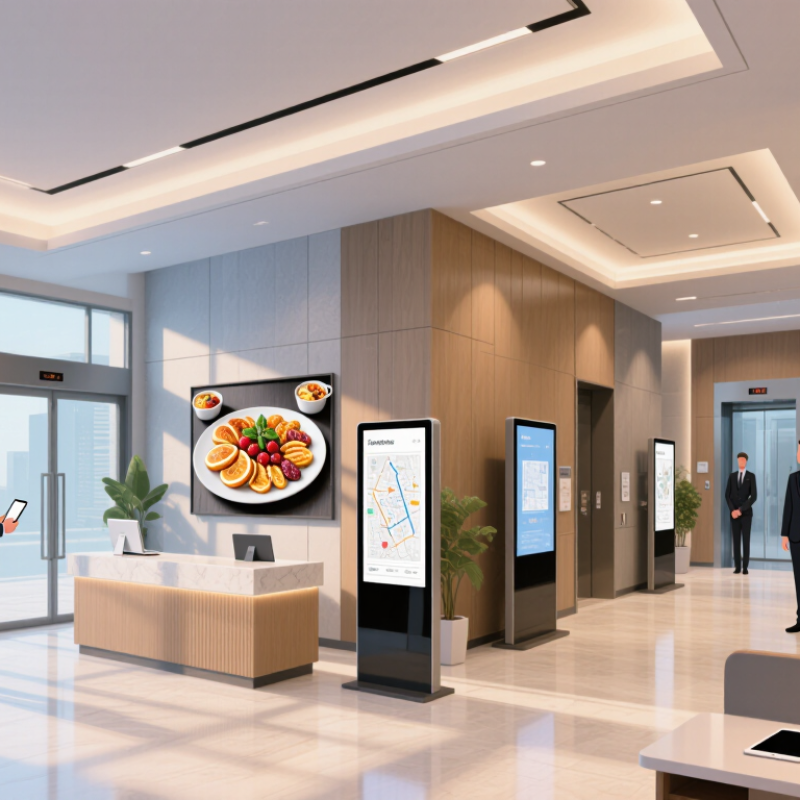
Hotel digital signage solutions connect screens with a content management system and a network. Staff use the system to prepare and schedule content from a computer or tablet. A screen near reception might show check-in guidance, while one by the lifts displays meeting-room directions. Placement matters.
The CMS sends approved content to selected screens, often grouped by location or purpose. Teams can set display times, replace outdated notices, and check whether a screen is online. Some systems can store scheduled content locally if the connection drops, but this depends on the equipment. Verify that capability before choosing a setup. Small details count.
Good signage is not just a bright display. Text should be readable from the viewing distance, and important information should not compete with decorative images. A clear arrival instruction may help more than a crowded slide of hotel amenities. Keep it simple. Staff also need practical training and clear publishing permissions, so an urgent update does not wait for one busy administrator. Even a neat content schedule can miss how guests actually move through a lobby; reviewing screen placement during busy periods can reveal what needs adjustment.
QUICK LINKS
CONTACT US
Office: (+86) 755 23040566
Tel: (+86) 158 9965 5195
E-mail: sale@pcbledmodule.com
Skype: Hans@Rocket-PCB
Whatsapp: 86 1589965 5195
Office Address: 2207,Bid 4,He Gu Shan Hui Cheng,35#,Guang Tian RoYanluo street, Song Gang Town,518105 SHENZHENG, CHINA
Plant ADD.: No 69, Lianfeng North Road, Xianxi Area, ChangAn Town, Dongguan, China.


Copyright © 2025 Rocket PCB Solution Ltd. | All Rights Reserved Sitemap Friendship link: CNC machining heat sink