

loading

BLOG

How to Choose a Dell PowerEdge R760xa GPU Server

Choosing a Dell PowerEdge R760xa GPU Server means matching the system to real workloads, not simply buying the largest accelerator configuration. Stanford University’s AI Index 2024 reports that training compute for notable AI models has doubled roughly every five months. IDC forecasts worldwide spending on AI, including hardware, software, and services, will reach $632 billion by 2028. These figures point to rapid growth, but they do not prove every organization needs a high-density GPU server. That distinction matters.

Dell’s technical documentation describes the R760xa as a 2U platform designed for GPU-intensive work. The right configuration depends on more than GPU count: consider accelerator type and memory, CPU capacity, system memory, storage, network bandwidth, power, and cooling. A workload that trains large models may need a different balance from one serving inference or running engineering simulations. Check software compatibility and rack limits, too. Small details matter.

This guide explains how to compare those choices, assess deployment requirements, and avoid paying for capacity your applications cannot use. A fast GPU can still wait on data. That is easy to overlook. Published benchmarks help, but they may not reflect your datasets, concurrency, or operating conditions. Treat them as evidence, not a promise. The goal is a configuration that fits the workload today while leaving sensible room for growth. Trade-offs remain, and they deserve a second look.
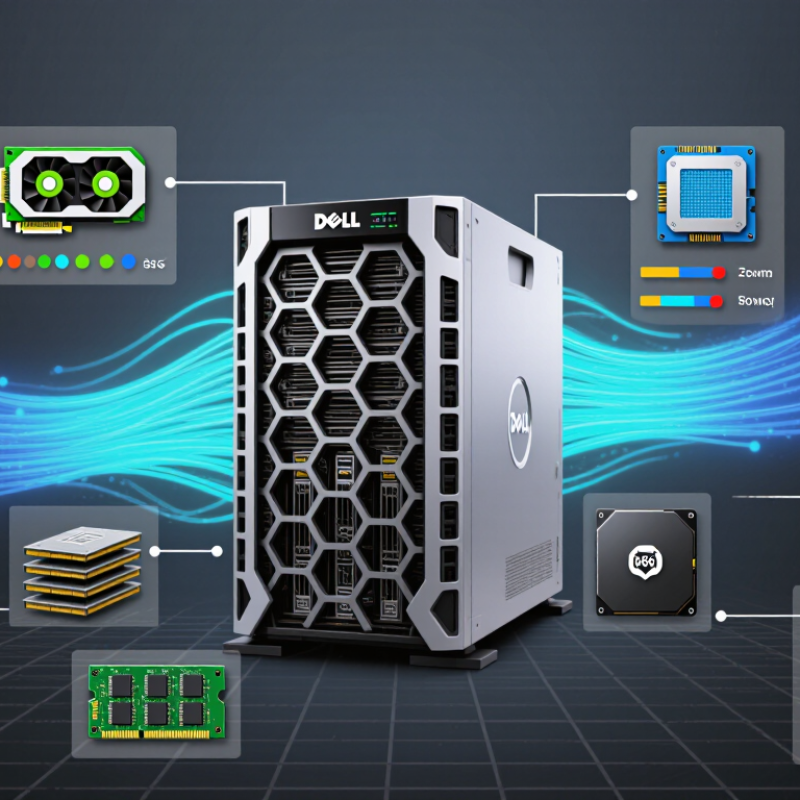
How to Choose a Dell PowerEdge R760xa GPU Server

Assess Workload Fit for a 2U, Dual-Socket Xeon GPU Server

A 2U, dual-socket Xeon GPU server suits workloads that benefit from several accelerators working alongside substantial CPU capacity. Think model training, visual computing, or batch inference—not every AI task needs a large GPU system. Check the software’s supported GPU count, memory requirements, and scaling behavior before choosing a configuration. A workload that fits on one accelerator may not speed up linearly with four.

Measure the heat. Under sustained GPU load, airflow, rack temperature, and power capacity can become practical limits, even when the server fits the rack. Confirm that the selected GPUs, network adapters, and storage options can coexist in the chassis. Then test a representative job: record throughput, GPU utilization, memory use, and power draw. That matters. Low utilization may point to CPU bottlenecks, slow data pipelines, or software settings rather than insufficient GPUs. For inference, also measure response time at expected concurrency; average speed can hide pauses during busy periods. I would leave room for uncertainty here: real workloads rarely behave exactly like a vendor’s benchmark. A short pilot with your own data can reveal cooling noise, cabling friction, and performance trade-offs before deployment.

Verify GPU Capacity: Up to 4 Double-Width Accelerators

When evaluating a 2U GPU server, treat “up to four double-width accelerators” as a maximum, not a guaranteed build. Confirm the exact chassis configuration, supported accelerator models, and slot layout before ordering. Four wide cards can leave little room for airflow and cabling. Check the system’s power budget, cooling design, and any limits on memory or interconnect options.

Workload matters. The Stanford Institute for Human-Centered AI’s 2024 AI Index reports that training compute for notable AI models doubled roughly every five months between 2010 and 2023. That trend makes expansion headroom useful, but it does not mean every team needs four GPUs. For inference or smaller model tuning, fewer accelerators may be easier to power and cool. Ask for validated thermal and power figures for your intended configuration, not only the maximum supported count.

Think about the room, too. Measure rack depth and verify power delivery before deployment. Under sustained load, warm exhaust and fan noise are real operational details. They are easy to overlook. I would also test the actual workload: theoretical accelerator capacity can look impressive, while memory limits or data movement become the bottleneck. One caveat: published maximums rarely describe every configuration equally well. Cite the exact configuration in your purchase and acceptance criteria.

Check PCIe 5.0 at 32 GT/s per Lane and DDR5 Memory Bandwidth

How to Choose a GPU Server: Check PCIe 5.0 and DDR5 Bandwidth

PCIe 5.0 runs at 32 GT/s per lane, but that figure is not the same as usable application bandwidth. Encoding overhead and system design affect real data transfer. Check whether the GPU slot has the required lane width and connects directly to the processor. An x16 connection offers more headroom than a narrower link, but only when the accelerator and workload can use it. Details matter.

Look beyond the slot label. Confirm lane allocation, riser layout, and whether multiple GPUs share available processor lanes. A card may fit physically while receiving less bandwidth than expected. For data-heavy training or frequent transfers between storage and accelerators, this can become a practical bottleneck. Measure your actual workload where possible. Peak specifications alone can mislead.

DDR5 memory bandwidth also depends on memory speed, channel count, and how modules are installed. Balanced population across memory channels generally helps sustain throughput; uneven configurations may leave capacity or bandwidth unused. Check supported DIMM types and capacity limits, then match memory to the workload’s data footprint. More memory is not always faster. I would verify both the configuration guide and benchmark results before purchase. And leave room for doubt: real performance depends on software, cooling, and the data path.

Budget Power and Cooling for GPUs Rated Up to 350 W

When selecting a GPU server, budget for more than the graphics cards’ rated power. A 350-watt GPU can draw close to that figure during sustained workloads, while processors, memory, storage, fans, and conversion losses add to the load. Estimate the complete system draw under realistic use, then check that the power supplies and rack circuits can support it with suitable headroom. Redundant supplies improve resilience, but they do not create extra usable capacity when configured to share the same limit. Leave margin. Peak demand and future upgrades can expose a plan that looked fine on paper.

Cooling needs an equally practical estimate. Several high-power GPUs can send substantial heat into a rack, so confirm that the server’s airflow path matches the room’s intake and exhaust layout. Keep front-to-back airflow clear, use blanking panels where needed, and verify that nearby equipment will not recirculate hot exhaust. Ask facilities staff about cooling capacity at the rack, not just the room average. Small details matter. Dust, blocked vents, or a warm aisle can push fans harder and increase noise and power use. A spreadsheet still misses some real-world variation; measure temperatures and power after deployment, then adjust the budget if observed loads differ from estimates.

Match Storage and Network Throughput to Your Target Workload

A GPU server can have powerful accelerators and still wait on data. Size storage and networking around the workload’s real input rate, not peak component specifications. IDC’s 2024 Global DataSphere forecast projects 394 zettabytes of data created, captured, and replicated worldwide by 2028. That is a broad forecast, not a server-sizing target. Still, it highlights why data movement deserves attention.

For model training, measure how quickly the storage system can feed batches while several GPUs read at once. Check sustained throughput and latency during parallel reads, not just a short sequential test. For inference, prioritize predictable response times and enough network capacity for concurrent requests.

Keep an eye on the full path: storage media, controllers, network adapters, switches, and cables. One slow link can spoil the result.

SPECstorage workload benchmarks are useful references because they report performance under defined, repeatable conditions. But your own dataset may behave differently; that is easy to underestimate.

Test with representative files, realistic request sizes, and the number of workers you expect in production. Compare measured throughput with target demand, then leave headroom for peaks and future growth.

Chat Online
Chat Online
Leave Your Message inputting...
Thank you for your attention. Please kindly describe your question first, or please send your inquiry to our email sale@pcbledmodule.com, and we will reply to you ASAP. Welcome, what can I help you?
Sign in with: