

loading

BLOG

10 Tips for Choosing a Level 3 DC Fast Charging Station?

A Level 3 DC fast charging station can turn a long stop into a brief pause—or create a frustrating wait beside a stalled charger. Choosing one takes more than comparing peak kilowatts. The vehicle, electrical supply, site layout, software, and maintenance plan all shape the real charging experience. Small details matter. Cable reach matters when a parking space sits awkwardly. Clear screen instructions matter in rain or bright sunlight. And a charger’s advertised power may not be the power every vehicle can accept.

EV charging journalist and tester Tom Moloughney is a recognized voice in practical charging discussions. The following is a paraphrased takeaway, not a verbatim quotation: “A charger’s peak rating is only useful when the car and site can make use of it.” That distinction guides this article. It introduces ten considerations, including connector compatibility, charging speed, reliability, payment options, network access, installation needs, and support. Each can affect the experience after purchase. Not every site needs the highest output. That may be an uncomfortable point for buyers drawn to impressive specifications, but it deserves attention.

A careful choice starts with the vehicles that will actually use the station and the power available at the site. Then compare expected usage, operating costs, and service arrangements. Some questions will remain uncertain until real drivers use the equipment. That is worth admitting. The right Level 3 DC fast charging station is not simply the one with the biggest number; it is the one that fits its location and works reliably for the people who depend on it.
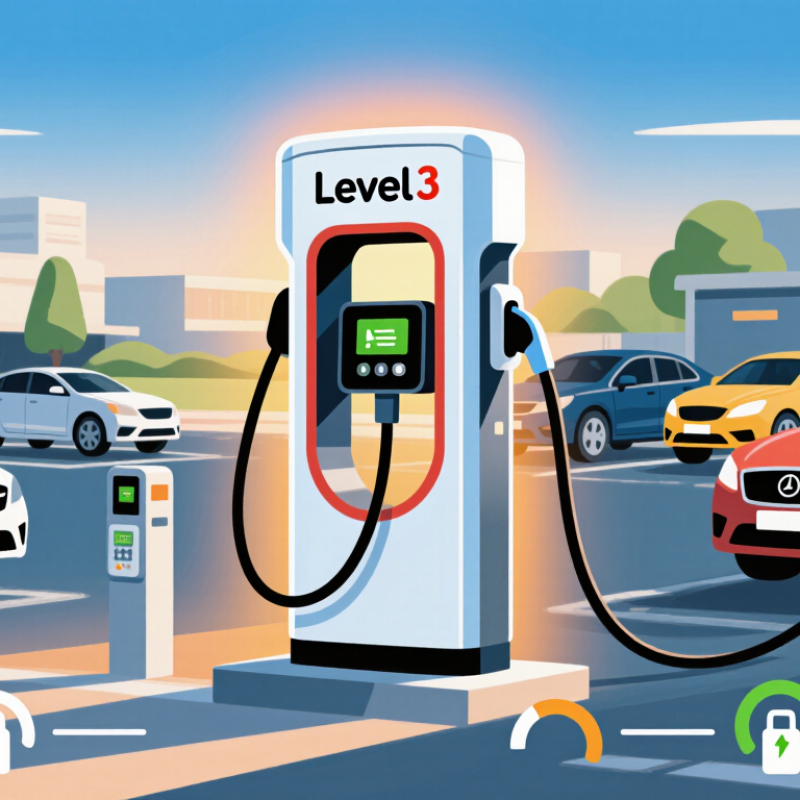
10 Tips for Choosing a Level 3 DC Fast Charging Station?

Define DC Fast Charging Output: DOE AFDC Classifies DCFC at 50 kW or Higher

The U.S. Department of Energy’s Alternative Fuels Data Center (AFDC) classifies DC fast charging as 50 kW or higher. That is a useful baseline, not a promise of charging speed. A 50 kW station and a 350 kW station both meet the definition, yet may serve different vehicles and site needs. AFDC notes that actual charging time varies with vehicle capability, battery state, and other conditions. Real sites vary.

Tip: Match rated output to the vehicles expected at your location. Check connector compatibility and whether power is shared between simultaneous users. A high nameplate rating means little if the electrical service cannot support it. Ask about measured uptime, too; specifications do not describe a busy Tuesday queue.

For planning context, a 2017 National Renewable Energy Laboratory analysis estimated that a scenario with 15 million plug-in vehicles could require about 27,500 public DC fast-charging ports by 2030. This is a modeled estimate, not a current installation target, but it shows why location and utilization matter alongside kilowatts. When comparing proposals, record the rated output, site capacity, expected dwell time, and service commitments. Then test those assumptions against local traffic and vehicle data.

Match Vehicle and Connector: Check CCS, CHAdeMO, or NACS Compatibility

When choosing a Level 3 DC fast charging station, match the plug to your vehicle’s actual inlet—not just the connector shown in an app. Common options include CCS, CHAdeMO, and NACS, standardized as SAE J3400. Compatibility can vary by vehicle model and year. A connector that fits physically may still require an approved adapter or may not support charging on that vehicle. Check the owner’s manual and the station’s live connector details.

Tip: Before driving over, confirm the connector type, adapter requirements, and whether the station is operating. Look closely at the plug label. Also check your vehicle’s maximum DC charging rate; a higher-power station will not make every vehicle charge faster. This small check can save a frustrating detour.

The International Energy Agency’s Global EV Outlook 2024 reports that public charging points grew by over 40% in 2023, while fast-charger stock grew by 55%. More options are arriving, but connector coverage still differs between locations. I would not rely on a broad “fast charging” label alone. Confirm compatibility for your exact vehicle, and remember that shared site power or battery temperature can affect charging speed. A little uncertainty remains. Check twice.

Compare Charging Curves: DOE AFDC Estimates 20 Minutes to 1 Hour to Reach 80%

The U.S. Department of Energy’s Alternative Fuels Data Center estimates that Level 3 DC fast charging can take about 20 minutes to one hour to reach 80%. That is a broad range, not a promise for every stop. Your vehicle’s charging curve matters more than the station’s peak-power figure. A car may accept high power briefly, then slow down as its battery fills.

Compare curves for the vehicle you drive, especially from the charge level where you usually arrive. A session starting near 10% may look very different from one starting at 45%. Battery temperature also matters; a cold pack can charge more slowly, even at a powerful station. Check whether the curve shows time, charge level, and delivered power. Small details matter. If the data is unclear, treat advertised charging times cautiously. I would also leave room for real-world variation: traffic, a warm afternoon, or a shared station can change the stop. Reaching 80% quickly is useful, but the final minutes may take longer than expected.

Verify Site Power: Match Utility Capacity to Charger Ratings from 50 to 350 kW

A 350 kW charger cannot deliver its full rating just because it fits in the parking lot. Check the utility service, transformer capacity, and available panel space before choosing equipment. Ask for the site’s existing peak demand, not only its stated service size. A building may already use much of its capacity during busy hours.

Then compare that headroom with the charger’s input requirements. A 50 kW unit may suit a modest service, while several high-output units can require major electrical upgrades. Get a qualified electrical professional to review the load calculation and confirm the utility’s available capacity. Include other site loads, such as lighting, heating, and refrigeration. Simultaneous charging matters.

Leave room for real-world variation. Charging systems may share power between vehicles, and output can be limited by site settings or operating conditions. Ask what each vehicle can actually receive when several connectors are in use. Check whether the design allows future expansion without replacing the transformer or rewiring the service. That detail is easy to miss.

Utility estimates can change, and upgrade timelines are not always predictable. Confirm assumptions in writing, including expected power delivery and any required service work. A spreadsheet helps, but it cannot replace a site inspection. I would rather plan for a small capacity gap now than discover it after equipment arrives.

Assess Safety and Network Support: Check UL 2202 Certification and OCPP 2.0.1

A Level 3 DC fast charger handles high power, so safety claims deserve more than a quick glance. Check whether the exact charger model is certified to UL 2202, a standard for electric vehicle charging system equipment.

Ask for the certificate or listing details, then compare the model number with the unit being quoted. A similar-looking product may not share the same certification. Small detail.

Also review installation instructions, required clearances, cable condition checks, and emergency stop access. These details matter at a busy site, where drivers may connect in rain, darkness, or cold weather.

Network support matters just as much. Confirm that the charger supports OCPP 2.0.1, and ask which functions are actually implemented.

The protocol can support device monitoring, remote updates, smart charging, and stronger security features, but a version label alone proves little. Request evidence of conformance and test compatibility with the intended charging network before purchase.

Ask how faults appear in the operator dashboard and whether session records remain available during brief network outages. That matters.

A useful evaluation includes a real workflow, not just a specification sheet. Test starting and stopping a session, retrieving error codes, and applying a permitted software update.

Check who can access diagnostic data and how credentials are managed. It is easy to assume “OCPP 2.0.1” means every feature will work smoothly; it may not.

Document any unsupported functions and confirm who will resolve integration issues. A little uncertainty is normal, but unanswered safety or network questions should be recorded before installation.

Chat Online
Chat Online
Leave Your Message inputting...
Thank you for your attention. Please kindly describe your question first, or please send your inquiry to our email sale@pcbledmodule.com, and we will reply to you ASAP. Welcome, what can I help you?
Sign in with: