

loading

BLOG

How to Choose a Front Wheel Alignment Machine?

Choosing a Front Wheel Alignment Machine is not simply a matter of comparing prices or screen sizes. The right system should suit the vehicles you service, your workshop layout, and the way technicians work. Small details matter. Consider whether the machine supports your common vehicle types, provides clear measurement readings, and fits your available bay space. A compact shop may value a smaller footprint, while a busy service center may need equipment that keeps vehicles moving efficiently.

This guide explains the main features to compare, including measurement technology, target setup, software, and compatibility with lifts and alignment bays. It also looks at daily usability: Can a technician position the targets without repeated adjustments? Are instructions easy to follow? Can the display be read from beside the vehicle? These practical questions can reveal more than a long list of specifications. Check what training, technical support, warranty coverage, and calibration guidance the supplier provides, too. Requirements differ by system, so verify details directly rather than assuming every package includes the same service.

No single machine is ideal for every workshop. A lower purchase price may mean trade-offs in features or support, but a higher price does not guarantee a better fit. It is easy to focus too much on impressive screens. Look at the full workflow instead, from vehicle positioning to the final report. The following sections offer a careful framework for comparing options and choosing equipment that matches your actual needs.
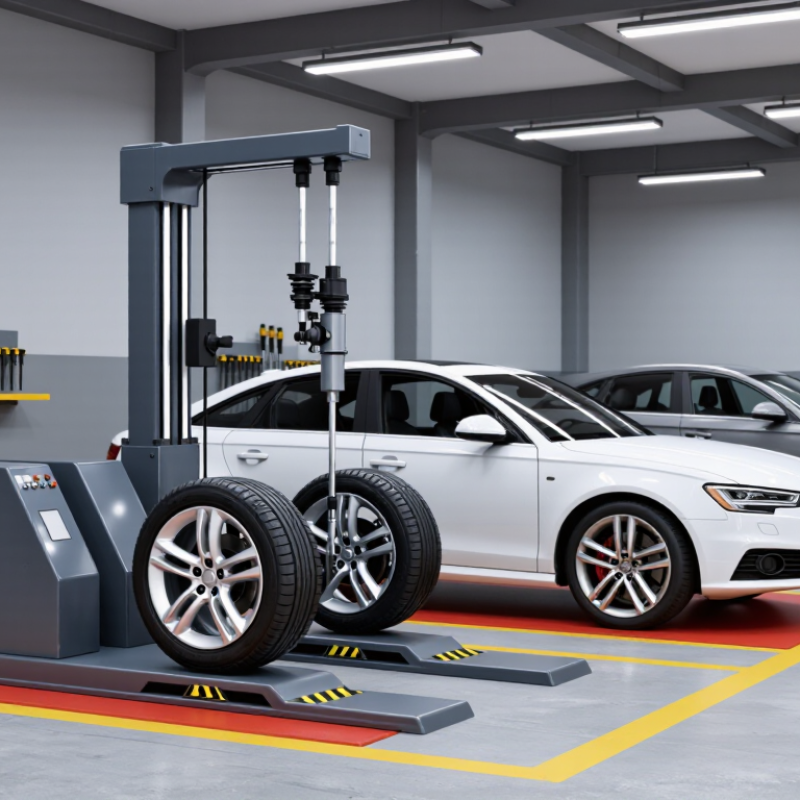
How to Choose a Front Wheel Alignment Machine?

What a Front Wheel Alignment Machine Measures

A front wheel alignment machine measures wheel angles against the vehicle’s alignment specifications. Its key readings include toe, camber, and caster. Toe shows whether the front wheels point inward or outward when viewed from above. Camber describes their inward or outward tilt from the front. Caster measures the steering axis’s backward or forward tilt from the side. SAE J670, Vehicle Dynamics Terminology, provides industry definitions for these vehicle geometry terms. Readings may appear in degrees or minutes, while some systems also display toe in millimeters. Small numbers matter.

The machine may also report steering-axis inclination, included angle, setback, and thrust angle. These readings help a technician distinguish a simple adjustment from possible bent or displaced components. For example, one front wheel showing noticeably different camber from the other deserves investigation, not just a quick adjustment. Exact acceptable values depend on the vehicle maker’s specifications; there is no universal “correct” angle.

A machine can show precise figures, but it cannot confirm that a worn joint or damaged suspension part is sound. Technicians should inspect those parts and check tire pressure before interpreting results. That step is easy to rush. I would not treat a green screen as proof that every cause of uneven tire wear has been found.

How to Define Your Vehicle and Workshop Requirements

Before comparing alignment machines, define the vehicles your workshop actually services. Record the common makes, models, wheelbases, and drive types, including vans or vehicles with modified suspension. Check whether your work includes routine adjustments, accident repairs, or performance setups. These jobs may require different measurement ranges and adjustment guidance. Details matter.

Then look closely at the workshop itself. Measure the lift runway length, bay width, and available space around each wheel. A machine may support your vehicle range but still be awkward to use in a narrow bay. Confirm that your lift suits the measurement method and that targets or sensors can be mounted securely. Also check power, computer placement, lighting, and whether cables could obstruct technicians or customers.

Estimate how often the equipment will be used and who will operate it. A busy shop may benefit from a quicker workflow, while a smaller workshop may value straightforward controls and accessible service support. Ask technicians to try the interface if possible; small screens or unclear prompts can slow a job. Keep a written list of must-have features and useful extras. It will not capture every surprise. Leave room to reconsider after reviewing real repair records, rather than choosing based on one unusual vehicle or a sales demonstration alone.

Which Alignment Technology and Sensors to Compare

When choosing a front wheel alignment machine, compare how it measures wheel position, not just how quickly it produces a reading. Camera-based 3D systems track targets attached to the wheels; electronic sensor systems measure angles through mounted sensor heads. Either can work well when properly calibrated. Ask for documented repeatability, calibration requirements, and performance on vehicles with different wheelbases. No sensor is magic.

Check the full workflow on your actual lift. Targets should mount securely without covering damaged rims, and the machine should detect common setup errors before measurements begin. Review whether it reports toe, camber, caster, and thrust angle, and whether technicians can make adjustments while watching live readings. A fast reading is less useful if a misplaced target or uneven turn plate changes the result. Check repeatability.

Vehicle coverage matters, too. S&P Global Mobility’s 2024 report found the average age of U.S. light vehicles reached 12.6 years. That makes broad fitment coverage valuable, including older models and varied suspension layouts. SAE J670 provides established terminology for vehicle dynamics measurements; use consistent definitions when comparing specifications. I would still verify several readings against a known reference vehicle before relying on a new system in daily service.

How to Assess Accuracy, Compatibility, and Ease of Use

A front wheel alignment machine should deliver repeatable readings, not just impressive numbers on a screen. Check its stated accuracy and resolution separately; resolution shows how finely it displays a measurement, while accuracy reflects how close that reading is to the true value. Ask how often sensors need calibration and whether the supplier can provide service and verification records. In a workshop, even a small setup error can affect results.

Compatibility matters just as much. Confirm that the machine supports the vehicles you regularly service, including their wheel sizes, alignment specifications, and sensor or target requirements. Check that it fits your lift and bay space. A system may cover many vehicles on paper but feel awkward with your actual workflow. I would test a typical vehicle before deciding. That is easy to overlook.

Tips: Run the same vehicle through repeated measurements and compare the results. Watch how quickly an operator can mount targets, compensate for runout, and find adjustment guidance. Clear prompts help. Also check software updates and support arrangements. A fast interface is useful, but reliable readings matter more.

How to Choose a Front Wheel Alignment Machine? - How to Assess Accuracy, Compatibility, and Ease of Use

Assessment Area What to Check Practical Screening Guide Why It Matters Priority
Measurement accuracy Published accuracy specifications for toe, camber, and caster, including the units and conditions used. Request documented tolerances for each measurement. As a screening target, look for toe and camber accuracy around ±0.02° and caster accuracy around ±0.05°, then confirm that these meet your service requirements. A displayed reading can be precise-looking without being accurate. Clear specifications make equipment easier to compare. High
Resolution and repeatability Smallest displayed increment and consistency when the same vehicle is measured again under unchanged conditions. A display increment of 0.01° (about 1 minute of angle) is a useful comparison point. Ask for repeatability data or perform repeated measurements during a demonstration. Fine display increments improve readability, but repeatable measurements are essential for dependable adjustments. High
Measurement range Available ranges for individual toe, total toe, camber, and caster. Compare the stated ranges with the vehicles and conditions you service. Check whether readings remain available when alignment is substantially outside the normal adjustment range. A suitable range helps prevent out-of-range readings on vehicles with unusual geometry or existing alignment problems. High
Front-only workflow Whether the system accounts for rear-wheel direction or thrust angle when measuring front alignment. For front-only service, confirm how the machine establishes the vehicle centerline and handles rear thrust angle. A two-wheel procedure should not be assumed to provide the same information as a four-wheel measurement. Rear-wheel direction can affect steering-wheel centering and how front toe is set. High
Vehicle coverage Supported passenger cars, light trucks, wheelbase and track ranges, and any vehicle-specific restrictions. Compare the equipment's stated capacity with the vehicles in your service area, including larger or modified vehicles if applicable. Physical capacity and measurement coverage determine whether the machine can be used across your actual workload. High
Vehicle specification data Availability and update process for year, make, model, trim, and alignment specifications. Check that the database covers your local vehicle mix and explains how updates are supplied. Verify that specifications identify the correct vehicle configuration where options affect alignment. Accurate measurements must be compared with the correct vehicle specifications to guide adjustments. High
Wheel and rim compatibility Clamp or target mounting method, supported rim diameters, and provisions for different wheel or tire designs. Confirm the stated rim-size range and ask how the equipment handles alloy wheels, covered rims, and other common wheel designs without damaging them. Secure, suitable mounting reduces setup problems and helps protect customer wheels. High
Runout compensation Method for compensating for wheel or rim runout and instructions for carrying out the procedure. Check whether compensation is supported and whether the procedure can be performed with the installed targets or clamps. Follow the equipment and vehicle instructions. Runout can affect alignment readings; the appropriate compensation procedure helps account for it. High
Installation and workspace Required floor space, lift or alignment-rack compatibility, power supply, lighting, and calibration setup. Obtain installation requirements before purchase and confirm that the machine suits the dimensions and layout of the intended bay. Space, lighting, and mounting conditions can affect setup time and measurement reliability. Medium
Ease of use On-screen instructions, guided adjustment steps, language options, and visibility of live readings. Ask technicians to complete a sample measurement and adjustment workflow. Check whether readings and required actions are clear without repeated menu navigation. A straightforward workflow can reduce training time and help technicians follow procedures consistently. Medium
Calibration and service Calibration interval, verification method, service availability, and access to replacement parts. Request the written calibration procedure and expected service schedule. Confirm who can perform service and how quickly support is available locally. Routine verification and service help maintain reliable operation over time. High
Reports and records Before-and-after print or digital reports, measurement units, and options for saving or sharing results. Check that reports clearly show measured values alongside the relevant specifications and can be stored or provided in the format your workshop uses. Clear records help explain the service performed and support consistent customer communication. Medium
Total operating cost Purchase price, installation, software or data fees, calibration, training, and expected maintenance. Compare the full ownership cost over the period you expect to use the machine, not just the initial equipment price. Ongoing costs can materially affect the value of an alignment system. Medium

Note: The accuracy figures above are suggested screening targets, not universal industry requirements. Specifications vary by system and measurement method. Verify published performance, vehicle coverage, installation requirements, and calibration procedures with the supplier before purchase.

How to Check Calibration, Support, and Total Cost

How to Choose a Front Wheel Alignment Machine?

Calibration should be easy to verify, not just promised in a sales sheet. Ask how often the machine needs calibration and what tools or procedures are required. Check whether the display flags measurement errors and whether a technician can repeat a reading after repositioning a vehicle. Small differences matter. A practical test is to measure a vehicle, roll it forward, and compare the readings. If values shift, ask why before buying.

Support becomes important when equipment stops working during a full schedule. Confirm who handles troubleshooting, how quickly help is usually available, and whether replacement parts can be sourced locally. Ask for hands-on training, too. A clear manual helps, but it cannot always replace a technician beside the lift. No checklist predicts every busy Monday, so consider how your team prefers to learn and solve problems.

Look beyond the purchase price. Include installation, training, calibration, software fees, service visits, and any required accessories in the total cost. Ask what routine maintenance involves and how downtime is handled. A cheaper machine may cost more over time if support is slow or updates require extra fees. It is easy to focus on the first invoice; that is not always the wisest comparison. Check the details against your shop’s actual workload.

How to Choose a Front Wheel Alignment Machine?

Suggested evaluation weights for comparing calibration, support, total cost, and workflow. These weights are a practical decision framework, not survey results.

How to use this chart: Give each machine a score from 1 to 5 for every category, then multiply each score by its weight. Check calibration procedures and documentation, confirm the availability and response time of technical support, and compare total ownership costs—including installation, updates, and maintenance—before deciding.

Chat Online
Chat Online
Leave Your Message inputting...
Thank you for your attention. Please kindly describe your question first, or please send your inquiry to our email sale@pcbledmodule.com, and we will reply to you ASAP. Welcome, what can I help you?
Sign in with: