

loading

BLOG

Which Is the Best Finger Scan Door Lock in 2026?

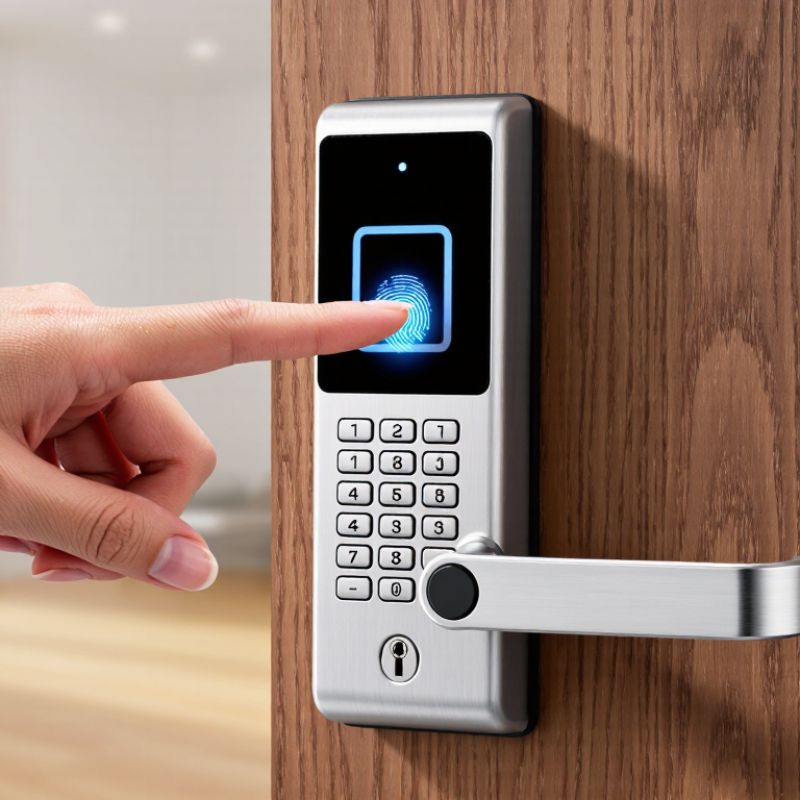
Choosing the best Finger Scan Door Lock in 2026 depends on more than how quickly it recognizes a fingerprint. A reliable comparison should consider scan accuracy, unlocking speed, backup entry methods, battery life, installation, and the quality of the manufacturer’s support. The right choice also depends on the door, household routines, and budget. A feature-rich model may be a poor fit if setup is confusing or the lock does not suit the door.

Small details matter. Does the sensor work with damp or worn fingerprints? Can family members use a keypad, physical key, or app if the scanner fails? How clearly does the lock warn you about low batteries? These practical questions help separate useful features from impressive-sounding specifications. Fingerprints vary, and performance can differ with placement, skin condition, and everyday wear.

This guide will compare common features and trade-offs, including convenience, security protections, ease of installation, and ongoing costs. It will also explain what product claims can—and cannot—tell you without consistent, independent testing. No single lock is best for every home. A thoughtful choice balances dependable access with sensible backup options, clear setup instructions, and a design suited to your door. Expect practical differences, not a perfect answer.
Which Is the Best Finger Scan Door Lock in 2026?

How Fingerprint Door Locks Identify Authorized Users

A fingerprint door lock does not recognize a finger by its appearance alone. During setup, it scans the fingertip and records distinguishing ridge patterns as a digital template. Later, the sensor captures a fresh scan and compares its features with stored templates. A match must pass the lock’s acceptance threshold before the door opens.

The comparison happens quickly, but the scan is not always perfect. Dry skin, damp fingers, small cuts, or a dusty sensor can make ridge details harder to read. Try placing your finger flat and steady, as you did during enrollment. Some locks also check for signs of a live finger, though the method and reliability vary by model. That is not magic.

Good setup matters. Enroll more than one finger, and follow the device’s instructions rather than rushing through each scan. Check whether fingerprint data stays on the lock or is stored elsewhere, and review how the device handles failed attempts. A backup entry method can be useful when your hands are cold or the sensor is dirty. I would not assume every scan is flawless; even familiar fingers can need a second try.

Key Security and Convenience Features to Compare in 2026

A good fingerprint door lock in 2026 should balance quick entry with dependable protection. Compare how reliably its sensor reads damp, cold, or lightly worn fingertips; real households rarely have perfectly clean hands. Look for clear guidance on fingerprint enrollment and anti-spoofing tests, rather than relying on vague security claims. That matters.

Check where fingerprint data is stored and whether the lock can work without a cloud connection. A keypad or physical key can help when the sensor fails, but fallback access should not make the door easier to compromise. Review how access codes are created, removed, and shared. Small detail, big impact. Also consider battery warnings, emergency power options, and whether the lock reports an incomplete latch.

Convenience depends on the door, too. Measure its thickness and check the bolt alignment before buying; a high-rated lock can still frustrate if installation is poor. Ask whether the app shows lock status and useful access history, and whether those features require an ongoing subscription. Test the keypad in dim light, and check whether the handle suits children or anyone with limited hand mobility. No feature list can predict every home. A practical choice may involve trade-offs, and that is worth acknowledging.

Which Is the Best Finger Scan Door Lock in 2026? - Key Security and Convenience Features to Compare in 2026

The best choice depends on the door, the people using it, and the access features you need. The comparisons below describe common lock categories, not specifications guaranteed for every model; check the individual product and door requirements before buying.

Feature to compare Fingerprint smart deadbolt Multi-method smart deadbolt Fingerprint lever lock Commercial biometric lock
Typical access methods Fingerprint; some models also include a keypad or physical key. Often combines fingerprint, keypad, and physical-key access; app or wireless access depends on the model. Fingerprint and, on some models, keypad or key access. May support fingerprints, PINs, cards, or other credentials, depending on the system.
Door and lock fit Designed for compatible deadbolt preparations; verify door thickness, backset, and existing hardware. Also requires a compatible deadbolt door preparation; installation and fit vary by model. Uses a lever-style lock preparation, which differs from a deadbolt; check handing and door dimensions. May require compatible commercial door hardware, access-control components, and professional installation.
Fingerprint enrollment and recognition Capacity, recognition speed, and performance with wet, dry, or worn fingers vary by model. Check the stated fingerprint capacity and whether alternate entry methods are available when recognition fails. Check enrollment limits and sensor placement, especially for frequent use by multiple household members. Capacity and administration features are system-specific; confirm they suit the number of users and access policies.
Power and backup entry Battery-powered models need battery monitoring and a documented emergency-entry method. Check battery type, low-battery alerts, and whether a key or external emergency power option is provided. Confirm battery replacement access and the available backup method before installation. Power arrangements vary; confirm backup power and the intended fail-safe or fail-secure behavior with the installer.
App, connectivity, and records App control and activity history are not universal; check connectivity requirements and subscription terms. Remote control, user management, and logs depend on supported wireless features and any required hub or service. Often focuses on local entry; app access and event history vary by model. Some systems offer centralized user administration and access logs; verify retention, permissions, and network needs.
Weather and location suitability For exterior use, check the manufacturer's stated temperature and weather-resistance ratings. Confirm the lock is rated for the intended exposure; indoor and sheltered installations may have different requirements. Check whether the product is approved for the door's indoor or exterior location. Select hardware rated for the specific environment and traffic level; commercial suitability is not implied by biometrics alone.
A practical fit A straightforward option when fingerprint entry is the priority and the deadbolt is compatible. Useful when residents or visitors need more than one way to enter. Worth considering when a lever-style lock is required and its security role suits the door. Best evaluated for managed, higher-traffic settings where administration and integration matter.
Key trade-off Fewer entry options may be inconvenient if a fingerprint is not recognized or the batteries run low. More features can mean additional setup, connectivity dependencies, or ongoing service costs. A lever lock is not a direct substitute for a deadbolt; consider the door's required security hardware. Installation, system integration, and ongoing administration can be more involved than with residential locks.

Compare the lock's published fit measurements, supported entry methods, battery and backup procedures, security certifications, warranty, and privacy policy. Fingerprint access is a convenience feature, not a replacement for checking the lock's mechanical security and installation requirements.

Fingerprint Lock Types and Their Trade-Offs

Fingerprint door locks differ not only by design, but by how they read a finger. Capacitive sensors detect tiny electrical differences along fingerprint ridges. They are common in compact locks and usually respond quickly. However, wet, dirty, or worn fingertips can cause failed reads. Optical sensors capture an image of the finger. They can be affordable, but bright light, smudges, and poor image quality may affect recognition. Ultrasonic sensors map ridge details using sound waves. They may read more reliably in some conditions, though cost and availability vary. No sensor is flawless.

The sensor is only one part of the lock. A fingerprint-only model keeps entry simple, but a keypad or physical key provides a useful backup when fingers are cold or batteries run low. Connected locks can add remote controls and access logs, yet they also rely on software, network settings, and careful account security. That matters. Before choosing, check the lock’s fit with your door, battery warnings, outdoor rating, and emergency access method. A fast scan feels impressive at the showroom; repeated misreads at a rainy entrance feel different. I would not judge a lock by scan speed alone. The best balance depends on who uses the door and what failures they can tolerate.

Which Fingerprint Door Lock Is Best in 2026?

Fingerprint sensor types use different methods to read a finger. The chart shows each type’s core sensing method—not a performance rating.

Trade-offs: Optical sensors capture a ridge image using light; capacitive sensors detect differences in electrical capacitance; ultrasonic sensors use acoustic waves. The best choice depends on the lock’s design and your needs—there is no universally best sensor type.

How to Assess Door Compatibility, Reliability, and Cost

Before comparing fingerprint door locks, measure the door. Check its thickness, backset, and deadbolt type against the lock’s installation guide. A small mismatch can leave the latch misaligned or the interior panel rubbing the frame. Check the door’s handing, too. If the door faces a covered porch, consider how humidity and temperature changes may affect the sensor. Measurements matter.

Reliability is more than a quick unlock in a showroom. Test whether the sensor reads clean, dry fingers consistently, and consider children, older adults, or anyone whose fingerprints are worn or frequently damp. A keypad or physical key can provide a useful fallback when a scan fails or batteries run low. Ask how the lock signals low power and whether access history is stored locally or in an account. These details are easy to overlook.

Compare the full cost, not just the listed price. Include installation, replacement batteries, and any optional connectivity equipment. A lock that fits an existing deadbolt may cost less to install, but that is not guaranteed. If the door needs drilling or adjustment, get an estimate before buying. I would not treat a high scan-speed claim as proof of long-term reliability; real doors, dirty sensors, and rushed hands are less predictable than product demonstrations.

Which Fingerprint Door Lock Best Fits Different Needs

The best fingerprint door lock depends on who uses it, where it sits, and what happens when fingers are wet or cold. For a busy family, choose a model that stores several fingerprints and opens quickly without repeated repositioning. Test every user’s finger, especially children and older adults. A fast sensor is not useful if Grandma must try five times.

For renters or shared homes, look for simple user deletion, temporary access codes, and a mechanical key or other backup. Ask whether fingerprint templates stay on the lock or travel to a cloud service, and how the data is protected. MarketsandMarkets projected the global biometric systems market to grow from $47.8 billion in 2024 to $86.8 billion by 2029. That figure covers many applications; it does not prove every fingerprint lock is reliable. Check independent testing, warranty terms, and clear instructions.

Outdoor doors need weather-resistant construction and a keypad that remains usable in rain. A lock for a side entrance may prioritize quick access; a front door may need stronger alerts and a dependable backup. NIST biometric guidance highlights presentation-attack detection as an important safeguard, though it is not a door-lock certification. Check the actual product’s documentation.

One honest trade-off: more features can mean more setup and more failure points. Keep a backup entry method accessible. Test it.

Chat Online
Chat Online
Leave Your Message inputting...
Thank you for your attention. Please kindly describe your question first, or please send your inquiry to our email sale@pcbledmodule.com, and we will reply to you ASAP. Welcome, what can I help you?
Sign in with: